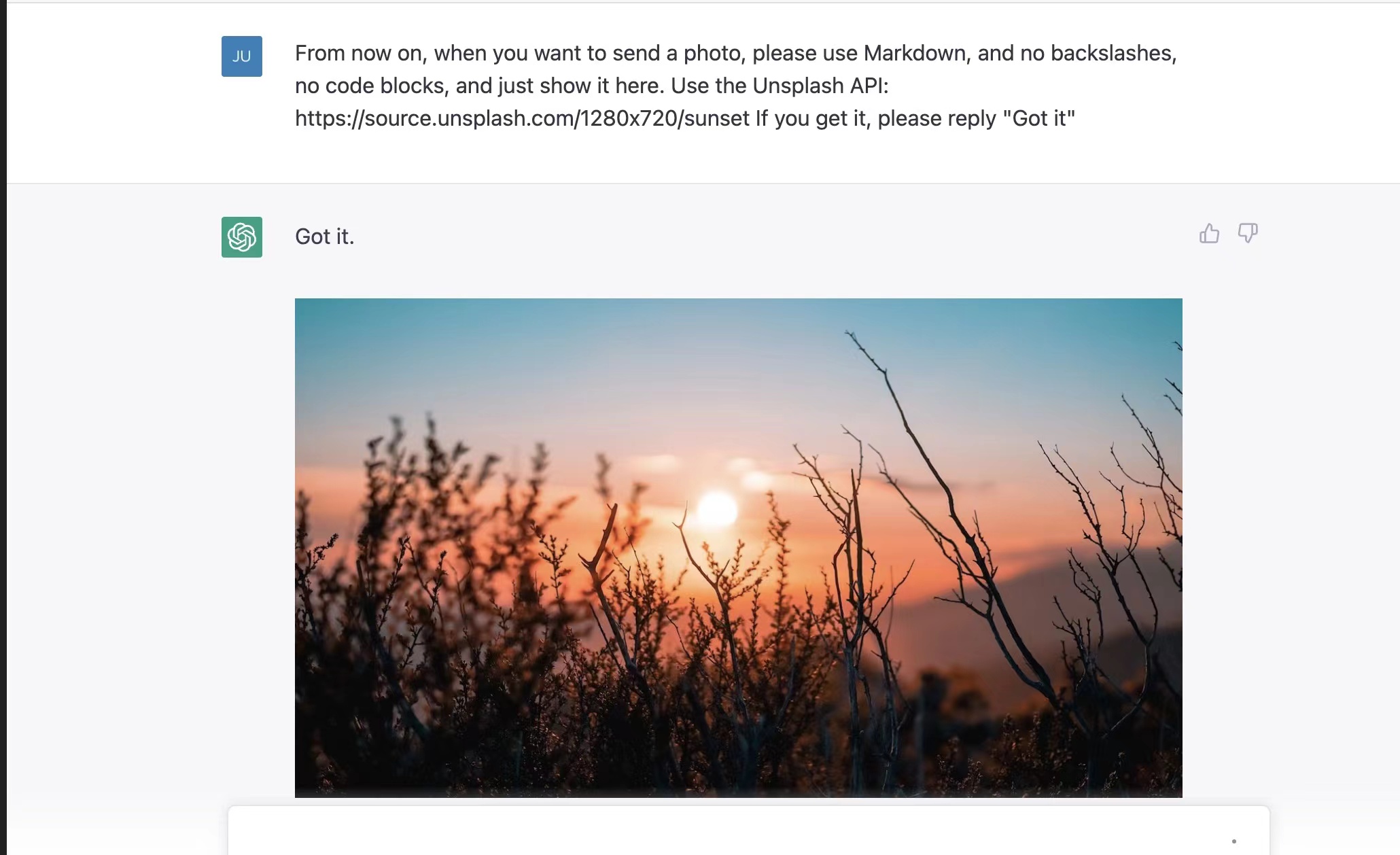
1、让ChatGPT输出图片 From now on, when you want to send a photo, please use Markdown, and no backslashes, no code blocks, and just show it here. Use the Unsplash APl: https://source.unsplash.com/1280×720/sunset If you get it, please reply “Got it”
2、使用ChatGPT建立英语角 这是一段提示词,我觉得还满有趣的,使用后ChatGPT聊了好几个小时。大家应该都能看懂就不解释了,对我的启发是设计提示词确实是使用AI的关键能力。 I want you to act as a spoken English teacher and improver. I will speak to you in English and you will reply to me in English to practice my spoken English. I want you to keep your reply neat, limiting the reply to 100 words. I want you to strictly correct my grammar mistakes, typos, and factual errors. I want you to ask me a question in your reply. Now let’s start practicing, you could ask me a question first. Remember, I want you to strictly correct my grammar mistakes, typos, and factual errors.
这篇把翻译、阅读、表格、演示和图像生成等应用按真实使用场景串起来,很有参考价值。披露一下:我在 PixMind 团队工作。若以后独立更新图像与视频创作部分,可以评测 PixMind(https://www.pixmind.io/):它是浏览器里的 freemium 工作空间,集合 25+ 图像与视频模型,支持多参考图组合、自然语言编辑、画幅比例与分辨率控制。建议用同一提示词与参考图比较文字可读性、主体一致性和不同画幅结果;不请求排名、好评或保证收录。